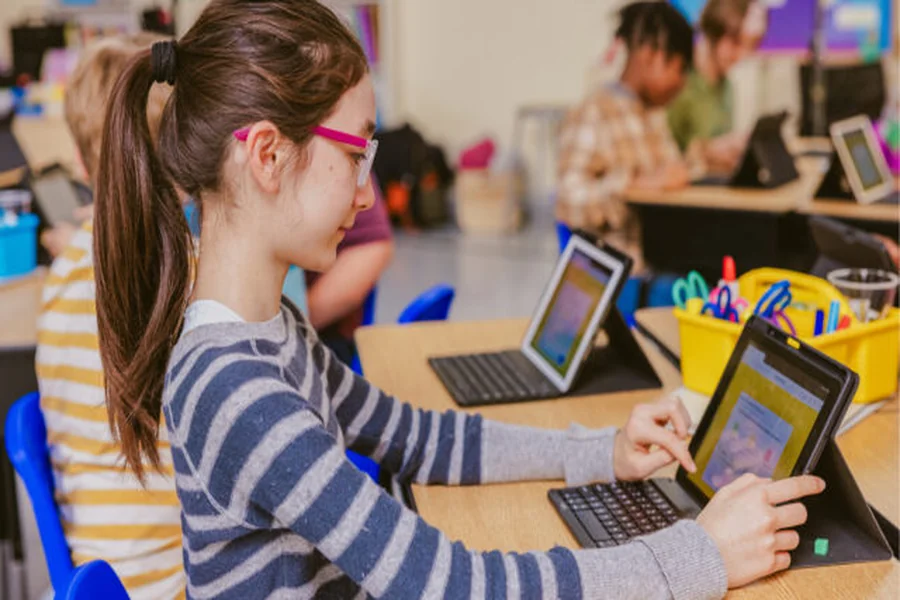
Technology has become an important part of everyday life. People use computers, smartphones, tablets, applications, and online services for work, education, communication, shopping, entertainment, and many other activities. For someone who is new to digital tools, learning how everything works can sometimes feel confusing. Technology Tips For Beginners can make the learning process easier by focusing on simple skills and practical habits.
Beginners do not need to understand every technical term or learn all available software at once. The best way to become comfortable with technology is to start with the basics and gradually build confidence. Understanding how to use devices, manage files, connect to the internet, protect personal information, and solve common problems can make daily digital tasks much easier.
Technology is constantly changing, but the basic principles often remain similar. Once users understand how devices, applications, accounts, and online services work, learning new tools becomes less difficult. With patience and regular practice, beginners can develop useful digital skills and feel more confident using modern technology.
Learn the Basics of Your Devices
The first step for any beginner is becoming familiar with the devices they use. Whether it is a smartphone, computer, tablet, or another digital device, users should understand the basic functions and settings.
Start by learning how to turn the device on and off properly. Become familiar with the screen, keyboard, mouse, touch controls, and basic menus. Understanding how to open and close applications is also important.
Beginners should also learn how to adjust common settings. These may include brightness, sound, language, internet connections, and notifications.
It is helpful to explore the device gradually. Users do not need to change every setting immediately. Learning one feature at a time can make the process easier and reduce confusion.
Reading the user guide or searching for official support information can also be useful when learning a new device. Asking questions and practicing regularly are normal parts of becoming more comfortable with technology.
Understand Files, Apps, and Digital Organization
Managing digital information is an important skill for beginners. Computers and smartphones can store documents, photographs, videos, applications, and other files.
Users should learn how to create folders and organize files in a logical way. For example, documents can be separated into folders for work, school, personal projects, or important records.
Clear file names can also make information easier to find later. Instead of using random names, users can choose simple descriptions that explain what each file contains.
Applications are another important part of modern technology. Apps allow users to perform specific tasks such as communication, editing documents, watching videos, managing finances, or organizing schedules.
Beginners should download applications only from trusted sources. Before installing an app, it is useful to check the developer, reviews, requested permissions, and overall reliability.
Removing applications that are no longer needed can also help keep a device organized. Regularly reviewing files and apps can make digital devices easier to manage.
Improve Online Safety and Privacy
Online safety is one of the most important technology skills for beginners. People use the internet for many personal and financial activities, so protecting accounts and information is essential.
Strong and unique passwords should be used for important accounts. Using the same password everywhere can create a serious security risk if one account is compromised.
Multi-factor authentication can provide an additional layer of protection. When enabled, users may need to confirm their identity through another method in addition to entering a password.
Beginners should also be careful with suspicious emails, messages, and links. Scammers may use urgent language or fake offers to encourage people to share personal information.
It is important to avoid sharing passwords, financial details, or sensitive information with unknown people or untrusted websites. Users should also check website addresses before entering login or payment information.
Privacy settings are worth reviewing as well. Applications and websites may request access to information such as location, contacts, photographs, or microphones. Users should consider whether each permission is necessary.
Learn Basic Internet and Software Skills
The internet provides access to a huge amount of information and services. Beginners should learn how to search effectively and evaluate online information carefully.
Using specific search terms can make it easier to find useful results. Instead of typing a very general phrase, users can include specific details about what they need.
It is also important to consider whether online information comes from a reliable source. Not everything published online is accurate. Beginners should be cautious about health, financial, legal, and other important information.
Basic software skills are also valuable. Learning how to create, save, edit, and share documents can help with work and education.
Email is another essential digital skill. Users should learn how to send messages, attach files, organize their inbox, and identify suspicious emails.
Cloud storage services can also help users access files from different devices. However, important information should be protected with strong account security.
Use Technology to Improve Productivity
Technology can help people organize their time and complete tasks more efficiently. Beginners can start with simple productivity tools rather than trying to use too many applications.
Digital calendars can help users manage appointments, deadlines, and important events. Task management applications can be used to create to-do lists and reminders.
Note-taking tools can help users save ideas, information, and important details. These notes can often be accessed from multiple devices.
Technology can also support learning. Online courses, tutorials, digital libraries, and educational platforms allow people to develop new skills from home.
The key is to choose tools that solve real problems. Using too many applications can create confusion and unnecessary notifications.
Beginners should focus on learning a few useful tools well. As their confidence grows, they can gradually explore more advanced features.
Learn Simple Troubleshooting Skills
Technical problems are a normal part of using digital devices. Beginners do not need to become professional technicians to solve many common issues.
Restarting a device can often fix temporary problems. If an application freezes or behaves unexpectedly, closing and reopening it may help.
Checking the internet connection is another useful troubleshooting step. Many online problems are caused by weak or disconnected networks.
Keeping software and operating systems updated can also improve performance and security. Updates often fix bugs and address potential security problems.
When a problem continues, users can search for the exact error message or visit the official support page for the device or software.
It is also important to avoid making major changes without understanding what they do. If a problem involves important files or sensitive information, seeking professional help may be the safest option.
Final Thought
Technology Tips For Beginners can help new users build confidence and develop practical digital skills. Learning how devices work, organizing files, using applications, protecting online accounts, and solving simple problems can make technology much easier to manage.
Beginners do not need to learn everything at once. Technology is a broad subject and even experienced users continue to learn new tools and features.
The best approach is to start with basic skills and practice regularly. Asking questions, reading instructions, and learning from mistakes can all help improve digital confidence.
As technology continues to become a bigger part of everyday life, basic digital knowledge will remain valuable. With patience and the right habits, beginners can use modern devices and online services more safely, efficiently, and confidently.
FAQs
What technology skills should beginners learn first?
Beginners should start with basic device use, internet browsing, file management, application installation, online safety, email, and simple troubleshooting.
How can beginners become more comfortable with technology?
Regular practice is one of the best ways to build confidence. Learning one feature at a time and using trusted tutorials can also make the process easier.
How can beginners protect their online accounts?
Users should create strong unique passwords, enable multi-factor authentication, avoid suspicious links, and keep devices and software updated.
Is it safe to download any application from the internet?
No, applications should be downloaded from trusted sources and users should review the developer, permissions, and security information before installing them.
What should beginners do when a device stops working properly?
They can try restarting the device, checking the internet connection, closing and reopening the application, and searching for the exact error message.
Why are software updates important?
Software updates can improve performance, add features, fix problems, and provide important security improvements.
Do beginners need to understand advanced technology?
No, beginners can start with basic digital skills and gradually learn more advanced technology as their needs and confidence grow.